
How to Mount a Large TV on Drywall Safely
Fasten the TV bracket into wood studs whenever you can. If the studs do not line up, use a fixed mount and a mounting system approved for your drywall thickness and TV weight. Follow the mount and fastener instructions. Do not rely on screws driven into drywall alone, and do not attach a full-motion arm to drywall-only fasteners.
Check the wall before you drill. The screen’s weight matters, but so does the force created when someone pulls or adjusts it.
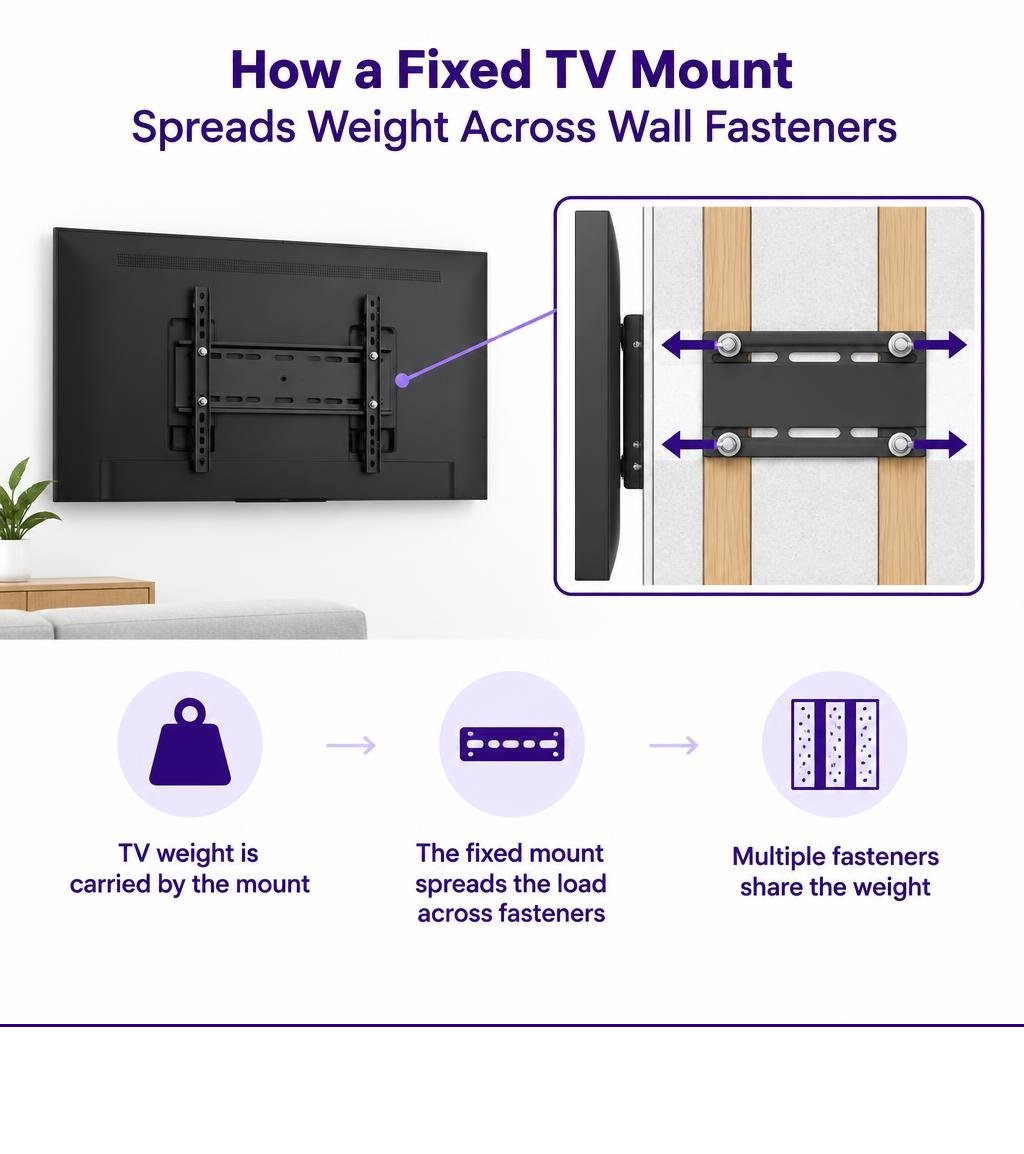
Simple mounting glossary:
Why Drywall TV Mounting Requires Precise Physics and Planning
Drywall is a non-structural building material. It consists of a soft gypsum plaster core pressed between two sheets of paper facing. A standard screw driven directly into drywall strips out under just 5 to 10 pounds of force because the soft gypsum crumbles instantly under tension.
When you hang a television, the wall assembly experiences two primary forces: shear load and tension (pull-out) load. Shear load acts downward, parallel to the wall face. Tension pulls outward, perpendicular to the wall. Drywall resists shear loads reasonably well when weight is spread over a broad surface area, but it has very weak resistance to outward pull-out tension.
Fixed vs. Full-Motion Mount Forces
A low-profile fixed mount keeps the TV display within 1 to 2 inches of the wall surface. This setup exerts almost pure downward shear force on your fasteners. Because the center of gravity stays close to the drywall, the outward tension force remains low.
An articulating or full-motion mount changes the physics entirely. When you pull a 55-pound, 65-inch television outward on an arm by 14 to 20 inches, the assembly acts as a mechanical lever. This cantilever leverage converts static downward weight into dynamic pulling tension.
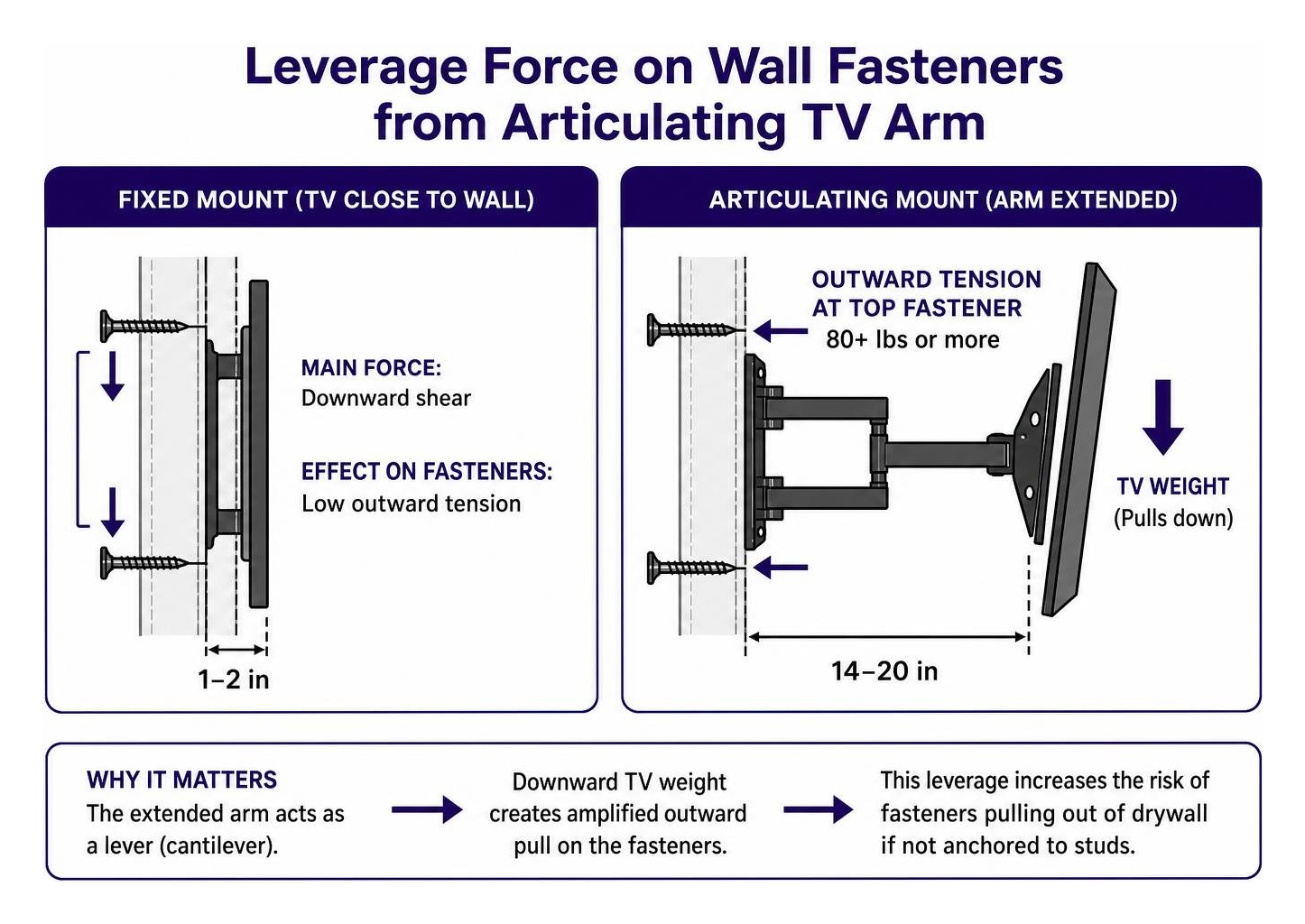
This lever arm magnifies the outward force on the top fasteners to 80 pounds or more. Every time you pivot or pull the screen, you introduce dynamic cyclic loading. That repetitive motion crushes the brittle gypsum core around standard hollow wall anchors, causing the mounting hole to wallow out until the fasteners pull free. Reviewing a practical guide to molly bolts vs toggle bolts shows how mechanical fasteners behave differently under these loads.
The 4x Safety Factor Rule
The International Residential Code (IRC) and professional hardware standards mandate a safety factor for wall-mounted equipment. Fasteners and mounting brackets must hold at least four times the combined weight of the TV and the mounting plate. Some commercial hardware specifications require a five-times rating.
According to federal safety statistics, TV tip-overs send an injured person to the emergency room every 30 minutes in the United States. If your 75-inch television and heavy steel bracket weigh 65 pounds combined, your wall fastener array must be rated to support at least 260 pounds of total load. Using the right TV drywall anchor ensures your installation accounts for static weight, cable drag, and accidental bumps.
How to Choose the Right Drywall Hardware by Weight Capacity
To mount a large TV on drywall safely, fastener selection depends on the weight of the display, the mount design, and the thickness of the drywall sheet (standard residential walls use 1/2-inch or 5/8-inch drywall).
Essential Hardware to Mount Large TV on Drywall Safely
Different fasteners serve specific weight thresholds. Commodity plastic expansion plugs work fine for lightweight 5-pound picture frames, but they lack shear strength for heavy loads and fail completely in hollow wall cavities.
Threaded self-drilling anchors work for small items up to 30 or 50 pounds, but they strip the gypsum if overtightened. Metal molly bolts expand a sleeve behind the wall to hold up to 50 pounds. For real mechanical holding in hollow drywall, toggle systems or broad-flange anchors are required.
| Anchor Type | Installation Method | Shear Rating (1/2 in Drywall) | Shear Rating (5/8 in Drywall) | Recommended Use Case |
|---|---|---|---|---|
| Plastic Expansion Plug | Hammer into pilot hole | 10–15 lb | 15–20 lb | Small picture frames only (<5 lb) |
| Threaded Self-Drilling | Screwdriver drive | 30–50 lb | 50–75 lb | Clocks, light décor, small speakers |
| Steel Molly Bolt | Expand with setting tool | 40–50 lb | 50–60 lb | Small monitors, light shelving |
| Snap Toggle Bolt | 1/2-inch drilled hole | 80–150 lb | 150–200+ lb | Medium static TVs on fixed brackets |
| GS2 Drywall Anchor | 2-inch hole saw | Up to 1,000 lb shear | Up to 1,000 lb shear | Large TVs, heavy mirrors, cabinetry |
Understanding the shear rating differences across heavy-duty anchors prevents structural failures before you put holes in the wall. For dynamic daily-use hardware like towel bars, curtain rods, and toilet paper holders, the GS1 anchor is the better fit; save the GS2 for heavy static loads like TVs, cabinets, and mirrors.
Heavy-Duty Anchor Systems and Stud Integration
Whenever wall studs fall within your mounting zone, use them. A single 5/16-inch lag bolt driven at least 1.5 inches into a solid wood stud provides 200 to 300 pounds of shear resistance. GHOSTUD anchors are not a substitute for a stud when one lines up with your mount; drive into the stud instead.
When standard 16-inch or 24-inch stud spacing does not align with your screen placement, you need heavy-duty hollow-wall hardware. Snap-style toggle bolts use a solid metal channel that flips flat against the back of the drywall. Four correctly spaced snap toggles on a fixed bracket can carry static TV loads up to 60 pounds.
When you need higher static load distribution on hollow sheetrock without a backing stud, the GS2 heavy-duty drywall anchor provides a solid mounting surface. It installs into a 2-inch hole cut with a standard hole saw, spreading force across a wide internal surface area. The GS2 is rated for up to 1,000 lb shear in 1/2 in or 5/8 in drywall for static loads such as flat-screen TVs, large mirrors, and heavy static shelving. It is made in the USA from 100% recycled plastic.
That high-capacity anchors have trade-offs: the GS2 requires a 2-inch hole saw, carries a higher per-unit cost than small commodity anchors, and creates a permanent mounting location. Review our comparison on stud anchoring versus hollow wall anchoring to choose the right strategy for your room layout. For more installation guidance, see our complete guide to mounting a TV without studs.
Step-by-Step Guide to Mount Large TV on Drywall
Follow this step-by-step process to safely install your television mounting plate.
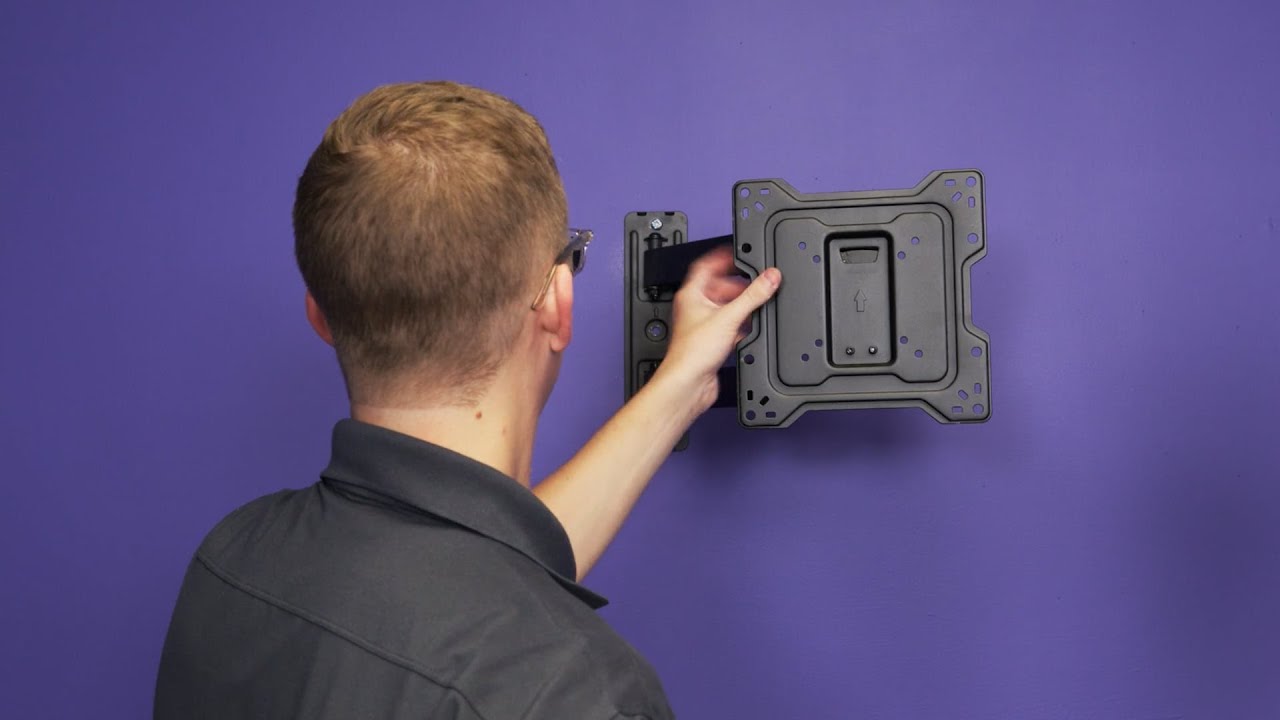
Step 1: Planning Height, Position, and Stud Alignment
Sit on your primary viewing couch. Mark your eye level on the target wall using painter’s tape. The center of the television screen should sit at comfortable seated eye level, typically 42 inches from the finished floor to the center of the display.
Run an electronic stud finder across the wall to identify hidden framing studs. Mark the left and right outer edges of each stud, then locate the center line. If the studs align with where you want the screen, mark drill points over the wood centers. If the studs do not align with your viewing position, verify your drywall thickness (1/2-inch or 5/8-inch) for hollow-wall hardware. Review step-by-step DIY mounting practices as you map the bracket location before drilling.
Step 2: Drilling and Setting Heavy-Duty Fasteners
Hold your wall bracket against the wall at the planned height. Level the plate using a bubble level, then mark your fastener positions through the bracket slots.
For stud mounting, drill pilot holes using a 7/32-inch wood bit to prevent splitting the dry stud framing.
For hollow drywall using snap toggles, drill a 1/2-inch hole. Insert the metal toggle channel, slide the retaining cap flush to the wall face, and snap off the excess plastic straps.
If installing the GS2 anchor into 1/2-inch or 5/8-inch drywall, chuck a 2-inch hole saw into your drill. Cut the opening cleanly, vacuum the gypsum dust from the cavity, insert the anchor body flush with the wall face, and lock the retaining ring. Use established methods to install wall anchors properly so the fitting sits dead flush.
Step 3: Securing the Bracket and Testing Hold
Align the metal wall bracket over your installed anchors or drilled stud pilot holes. Insert your mounting bolts with flat washers. Thread the bolts into the anchors or studs using a socket wrench or hand driver.
Tighten the fasteners firmly. Do not use a high-torque impact driver on drywall anchors; overtightening crushes the gypsum core and weakens anchor tension resistance. Always reference the mount manufacturer’s installation manual guidelines for torque limits.
Perform a manual pull test before hanging the television:
- Grasp the mounted wall bracket firmly with both hands.
- Apply firm downward and outward body weight (roughly 50 to 75 pounds of force).
- Check the bracket corners for metal flex or movement against the wall face.
- Verify that the drywall surface shows no hairline cracks or crushing.
Step 4: Hanging the Screen and Code-Compliant Cable Routing
Fasten the vertical mounting rails to the rear VESA bolt pattern on your television using the machine screws and spacers supplied with your mount kit.
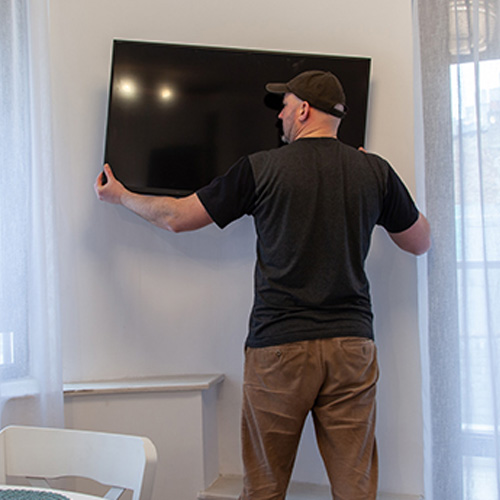
Enlist a helper for any display larger than 50 inches. Lift the television by its outer edges, lift it over the wall bracket, and lower the rails onto the horizontal plate until they seat securely. Immediately engage and tighten the bottom safety locking screws to prevent the TV from sliding off the rail.
Route your HDMI and audio cables. If you run wiring through the wall cavity, use in-wall rated CL2 or CL3 cables. Never run a standard flexible appliance power cord through a wall cavity; doing so violates the National Electrical Code (NEC). Use a properly installed recessed receptacle behind the TV when power must be located inside the wall.
Edge Cases, Wall Types, and Structural Limits
Drywall hardware has firm structural boundaries. Knowing when to stop prevents wall damage and equipment loss.
When Not to Mount Large TV on Drywall Without Studs
Do not mount a TV on hollow drywall without studs under these specific conditions:
- Full-Motion Articulating Mounts: Never use drywall anchors alone on an extending arm. The dynamic cantilever leverage will crush the gypsum core over time. Articulated mounts must be bolted directly into wood studs or anchored to a 3/4-inch plywood backer board secured across two studs.
- Plaster and Lath Walls: GHOSTUD anchors and standard drywall toggles are designed strictly for 1/2-inch or 5/8-inch drywall. They will crack brittle plaster or fail to seat against wooden lath. Use specialized masonry anchors or find original framing.
- Metal Studs, Brick, and Masonry: GHOSTUD is engineered for drywall only. It is not suitable for plaster, lath, concrete, masonry, brick, stucco, tile over backer board, or metal studs. Use rated snap toggles for light gauge steel studs, or masonry sleeve anchors for concrete.
- Damaged Sheetrock: Never install mounting hardware into drywall showing signs of water leaks, soft spots, or joint seam taping cracks. Learning the mechanics of preventing fastener pull-out failure helps diagnose damaged sheetrock before mounting.
Troubleshooting Loose Hardware and Out-of-Level Screens
- Spinning Anchors: If a drywall anchor spins freely during installation, the hole was drilled too large or the gypsum core was stripped. Remove the fastener. Step up to a larger toggle bolt, or relocate the mount plate 2 inches higher or lower into fresh drywall.
- Crooked Screen: If the television sits slightly unlevel after hanging, loosen the bracket safety screws slightly. Most mount rails include slotted clearance holes that permit 1 to 2 degrees of leveling adjustment before final tightening.
- Drywall Cracking: If hairline fractures appear around the fastener head, remove the TV immediately. The sheetrock has suffered compressive structural failure.
Frequently Asked Questions About Mounting TVs on Drywall
Can I mount a 65-inch or 75-inch TV on drywall without hitting studs?
Yes, but only when using a low-profile fixed or slightly tilting mount combined with high-capacity hollow-wall hardware. Four properly rated snap toggles or our GS2 anchor (rated up to 1,000 lb shear in 1/2 in or 5/8 in drywall) provide the required static shear capacity. If you plan to use an articulating arm, you must secure the mount into framing studs.
Why are full-motion articulating mounts risky on hollow drywall?
An extended TV arm acts as a long lever. Extending a 50-pound screen 16 inches from the wall transforms static weight into significant outward tension on the top fasteners. Moving the TV creates dynamic cyclic loading that crushes the brittle gypsum core, leading to sudden pull-out failure.
Can I run the TV power cable directly through the drywall cavity?
No. National Electrical Code (NEC) regulations prohibit running standard flexible power cords (like the TV power cable) inside concealed wall cavities due to fire hazards. Low-voltage cables (HDMI, optical) may run inside walls if rated CL2 or CL3. For main power, install a code-compliant recessed outlet kit behind the TV.
Conclusion
Mounting a heavy screen on drywall requires matching the mount mechanics to your wall structure. Use heavy-duty lag bolts into wood studs whenever framing lines up with your layout. When studs are inaccessible, use a fixed mount paired with load-tested hollow-wall hardware.
If you are facing hollow 1/2-inch or 5/8-inch drywall with misaligned studs, explore our complete technical guide on mounting a TV without studs to select the right installation strategy for your space.
Take your next physical step at the wall: grab your stud finder, mark your 42-inch seated eye-level line, and locate your wall studs before buying your mount.