
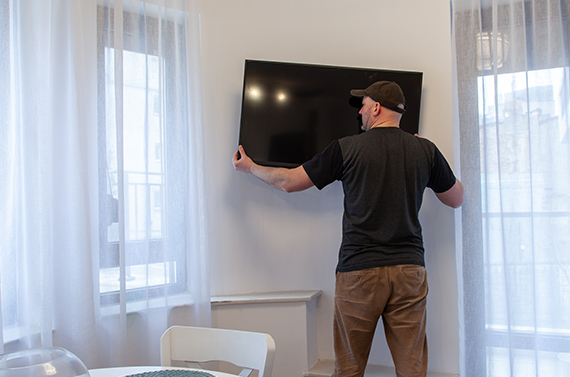
How to Mount a TV on Drywall Safely
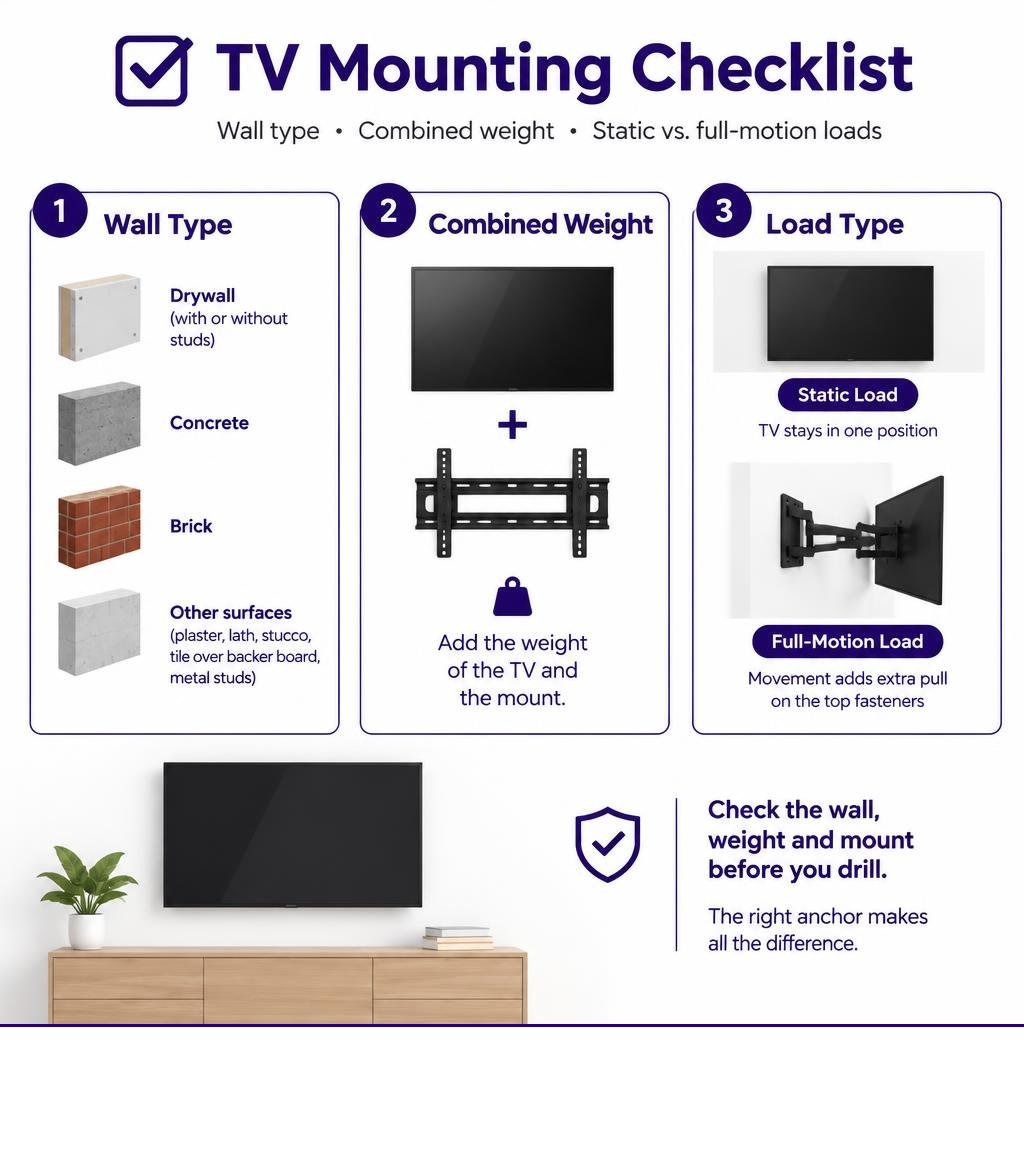
Use studs if you can. If the bracket must go on hollow drywall, use a fixed mount whose instructions allow studless installation. Choose anchors rated for your drywall thickness, and check the weight of both the TV and the mount before drilling. Do not use drywall anchors alone for a full-motion arm: extending the TV puts extra pull on the top fasteners.
Selecting the right dry wall anchor for tv mount installations requires matching the fastener to your wall thickness and bracket style. For 1/2 in or 5/8 in drywall, use anchors rated for the combined weight of the TV and mount. For plaster, lath, concrete, brick, stucco, tile over backer board, or metal studs, use a mounting method made for that specific surface.
Helpful guides:
- toggle bolt anchor for tv mount
- best hollow wall anchors for mounting tv
- mount large tv on drywall
- installation resources
Understanding Drywall Mechanics: Static Load, Shear, and Leverage
Drywall consists of a chalky gypsum core pressed between two layers of paper. A standard screw driven straight into drywall without an anchor holds only 5 to 10 lb before stripping the core. When hanging heavy objects, you must manage two distinct physical forces: downward shear and tensile pull-out.
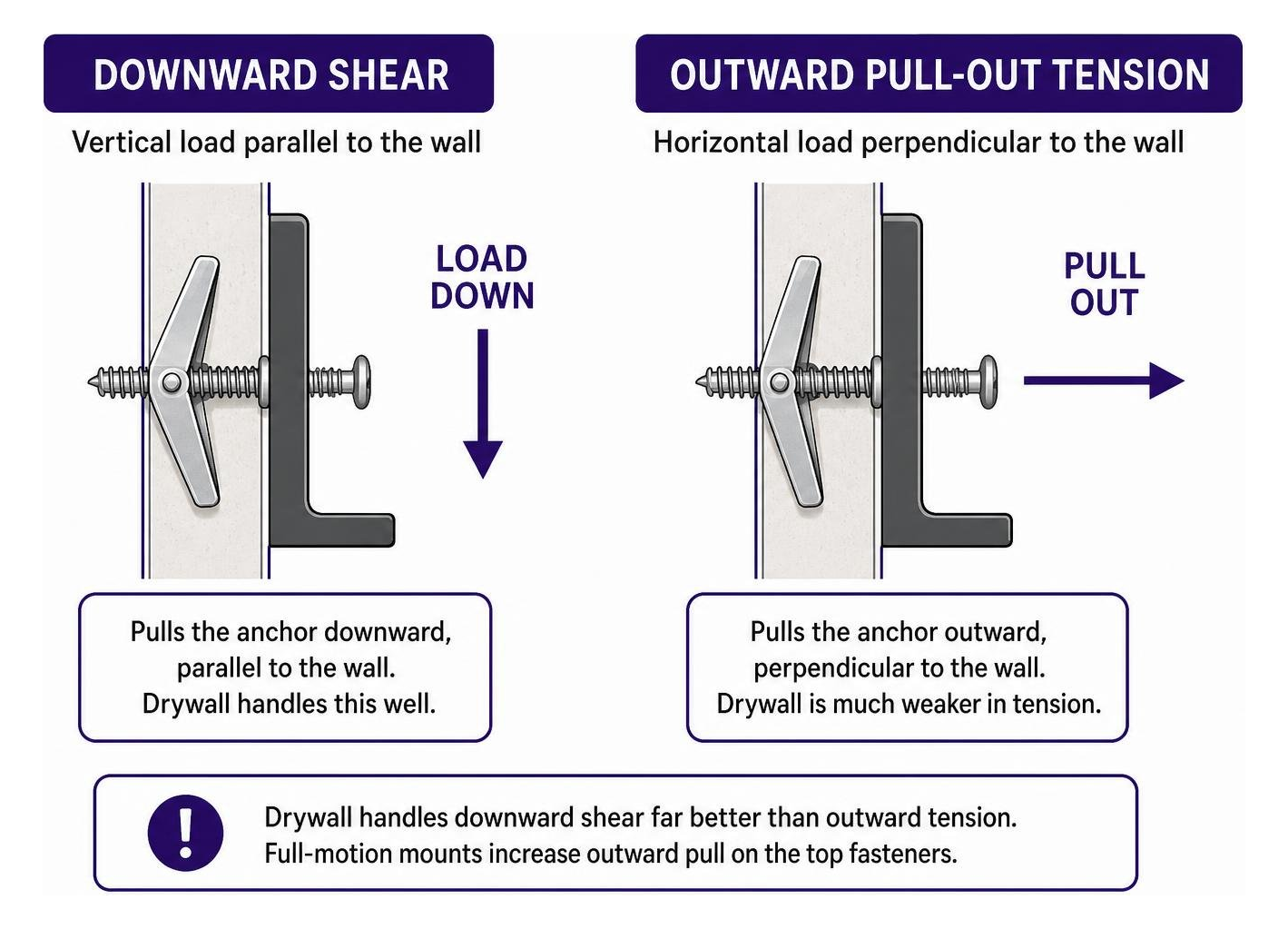
Downward shear is the vertical load pulling parallel to the wall face. A low-profile, fixed bracket places almost all its weight into downward shear. Tensile force pulls horizontally outward, perpendicular to the wall.
Understanding shear ratings for drywall anchors is essential because drywall handles downward shear far better than outward tension.
When you evaluate choosing between drywall anchors and studs, stud attachment is always your first choice. Wood framing transfers load directly into your home’s structural framing.
When residential framing with standard 16-inch stud spacing does not align with your screen placement, you must rely on hollow wall anchors. In this scenario, mechanical leverage determines your success.
Fixed and low-profile tilting mounts keep the screen close to the wall surface, maintaining a steady static load. Articulating swing-out arms pull outward on top fasteners, multiplying leverage and risking core crushing.
How to Mount a TV on Drywall Without Studs
Mounting without framing requires accurate layout and hardware matching. Scan the wall first to map hidden electrical wiring, plumbing runs, and framing members.
When you need to mount a large TV on drywall safely, maintain a four-to-one safety factor. The combined rating of your installed anchors must equal at least four times the total weight of the TV and bracket combined. This same principle applies across our broader drywall anchor guides.
Essential Tools and Hardware Preparation
Gather your tools before drilling into the wall:
- Cordless drill and driver
- Hole saw or spade bit sized to your specific anchor specifications
- Torpedo level or 24-inch bubble level
- Stud finder
- Painter’s masking tape and pencil
- Tape measure
- Hand screwdriver
- A complete universal TV mounting hardware kit for bracket machine screws, washers, and spacers
Step-by-Step Installation: Setting Anchors for TV Mount Brackets
Follow these steps to complete the installation:
- Mark the mounting position. Hold your mounting plate against the wall at your chosen viewing height. Place a level across the top edge. Mark the upper and lower mounting holes with a pencil onto strips of masking tape.
- Drill the anchor openings. Chuck the correct diameter drill bit or hole saw into your drill. Hold the tool perpendicular to the wall and cut cleanly through the sheetrock. Clear all gypsum dust out of the holes.
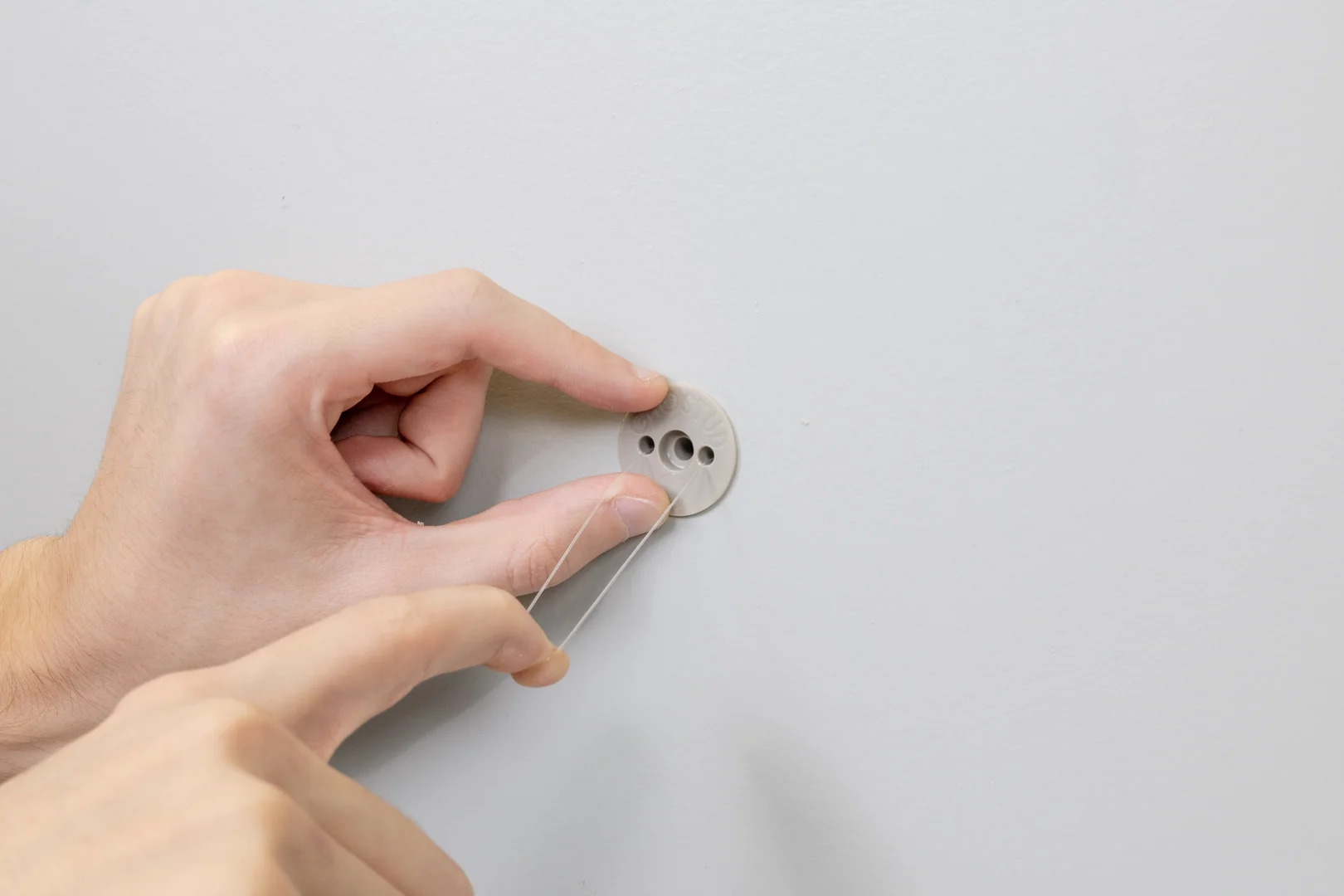
- Insert the anchors. Push your hollow wall fasteners into the prepared openings until the front collars seat firmly against the drywall face.
- Lock the anchor bodies. Engage the rear expansion mechanism, toggle channel, or retention wings according to the hardware instructions.
- Attach the wall bracket. Align the TV wall plate with your anchor points. Insert the mounting machine bolts through the plate holes and thread them into each anchor by hand to prevent cross-threading.
- Tighten fasteners securely. Drive each bolt with a hand screwdriver until snug against the plate. Avoid high-torque power drivers to prevent crushing the inner gypsum core.
- Perform a physical pull test. Grip the mounted bracket firmly with both hands and pull downward and slightly outward with moderate force. Inspect the sheetrock around the plate perimeter for cracks, flexing, or movement before hanging the television.
For more on hollow-wall mounting, see our related guide on choosing between drywall anchors and studs.
Choosing the Right Hardware for TV Wall Mount Installations
Selecting hardware requires comparing weight limits, hole sizes, and mechanical grip. Review the differences across standard anchor types in the table below:
| Anchor Type | Required Hole Size | Safe Working Load (1/2″ Drywall) | Safe Working Load (5/8″ Drywall) | Primary TV Mounting Application |
|---|---|---|---|---|
| Plastic Expansion Plug | 3/16 in to 1/4 in | 10–25 lb (Shear) | 15–30 lb (Shear) | Not safe for TVs; small framed prints only |
| Self-Drilling Zinc/Nylon | No pre-drill / Pointed tip | 25–50 lb (Shear) | 40–75 lb (Shear) | Lightweight auxiliary components only |
| Steel Molly Bolt | 5/16 in to 3/8 in | 25–50 lb (Shear) | 40–60 lb (Shear) | Small static displays (under 32 inches) |
| Standard Steel Toggle Bolt | 1/2 in to 5/8 in | 50–100 lb (Shear) | 70–120 lb (Shear) | Medium static flat screens (32–50 inches) |
| Heavy-Duty Strap Toggle | 1/2 in | Up to 200 lb (Shear) | Up to 265 lb (Shear) | Large static flat screens (50–65 inches) |
| GHOSTUD GS2 Anchor | 2 in (Hole Saw) | Up to 1,000 lb shear | Up to 1,000 lb shear | Heavy static loads: Large TVs, mirrors, cabinets |
Finding the best hollow wall anchors for mounting a TV depends directly on matching the anchor mechanism to the weight of your screen.
Low to Medium Load Fasteners: Expansion and Self-Drilling Plugs
Plastic expansion plugs grip solely by outward friction against the gypsum core. Self-drilling nylon or zinc threaded anchors bite into the core using coarse exterior threads.
Both styles are sufficient for lightweight hardware, like hanging small 5 lb picture frames or smoke detectors.
Never use friction-based expansion plugs or small self-drilling anchors for a television mount. Under a continuous static load, the gypsum core fractures, causing sudden, complete pull-out failure.
Heavy-Duty Hollow Wall Anchors: Molly Bolts and Snap Toggles
Molly bolts use a slotted metal sleeve that collapses flat against the hidden back side of the drywall when the machine screw tightens. They provide a rigid hold for small static displays up to 32 inches.
Standard spring-wing toggle bolts and strap-style toggles (such as Snaptoggles) distribute tension over a wider metal bar behind the wall. Select the proper toggle bolt sizes for TV mounts to ensure machine bolts fit bracket slots.
Heavy-duty strap toggles provide reliable shear resistance for medium-sized displays on fixed brackets. Strap toggles keep the threaded channel aligned behind the wall even if you remove the bolt.
Under repeated movement, narrow toggle wings can dig into the back paper face, enlarging the hole over time.
High-Capacity Structural Reinforcement: Heavy Static Load Anchors
For heavy static installations on hollow sheetrock, wide load distribution is necessary.
Our GHOSTUD GS2 anchor installs into a 2-inch hole cut with a standard hole saw and is rated up to 1,000 lb shear in 1/2 in or 5/8 in drywall.
Manufactured in the USA from 100% recycled plastic, the GS2 is designed for heavy static loads, including large TVs, storage cabinets, heavy mirrors, and structural shelving.
By distributing downward shear across a large internal footprint, it prevents point-load stress on the sheetrock core.
For smaller fixtures subject to daily movement—such as towel bars, curtain rods, and toilet paper holders—our GS1 anchor installs into a 1-inch hole and is rated up to 250 lb in 1/2 in or 5/8 in drywall.
High-capacity anchors like the GS2 require cutting larger holes in your sheetrock, making them an intentional, permanent mounting choice.
Critical Safety Limits: Dynamic Mounts, Wall Substrates, and Alternatives
Mounting hardware is only as strong as the physical limits of the wall. Understand where hollow drywall anchors cannot be used.
Articulating Arms vs. Fixed Brackets: The Leverage Factor
An articulating, full-motion mount functions like a pry bar against sheetrock. When you extend a 50 lb display 20 inches outward from the wall, cantilever leverage multiplies the tensile pull-out load on the top row of anchors.
Repeated dynamic movement fatigues the gypsum core around fastener holes, resulting in a named failure mode called drywall punch-through or fastener wallowing.
Use drywall anchors exclusively with low-profile fixed brackets or modest tilting mounts. If you must use a full-motion articulating arm, anchor the wall bracket directly into solid wood studs.
Unsuitable Wall Types and Stud-Backer Alternatives
GHOSTUD anchors are engineered for standard 1/2 in and 5/8 in drywall only. They are not suitable for plaster and lath, masonry, concrete, brick, stucco, tile over backer board, or light-gauge sheet metal studs.
Older plaster walls crack and crumble under concentrated clamping loads, requiring specialized masonry anchors or direct framing attachment.
When mounting a large screen where studs do not align with your room layout:
- Fasten a 3/4-inch furniture-grade plywood backer plate across two adjacent wall studs using 5/16-inch lag screws.
- Paint or bevel the edges of the plywood backer to match your wall finish.
- Secure the TV mounting plate directly to the reinforced plywood base using standard wood screws.
- If one wood stud is accessible behind the mount, drive heavy lag screws through one side of the bracket into the stud, and secure the opposite side to the hollow sheetrock using heavy-duty drywall anchors.
Frequently Asked Questions About Drywall TV Mounting
Can you reuse anchor holes when moving a TV bracket?
No. Never reuse an existing drywall hole for a new anchor installation. Inserting and removing heavy-duty fasteners crushes the surrounding gypsum core and tears the structural paper face. Patch old anchor locations with joint compound and drill fresh holes at least 2 inches away from previous repair points.
How do you calculate the safety factor for hollow wall anchors?
Use the industry-standard 4:1 safety factor. Add the weight of the television display to the weight of the steel wall bracket. Multiply that total weight by four. The combined working shear rating of your chosen anchors must meet or exceed this calculated number. For example, a 45 lb TV on a 5 lb bracket totals 50 lb. Your mounting setup requires a minimum cumulative capacity of 200 lb.
How to Select Fasteners for TV Weight Classes
Match the hardware capacity directly to your television’s display size and VESA pattern. Screens under 40 inches (weighing under 30 lb) perform well with standard steel toggles or molly bolts on fixed brackets. Displays between 40 and 65 inches (weighing 30 to 75 lb) require high-capacity strap toggles or structural drywall anchors. For screens over 65 inches or displays utilizing articulating extension arms, skip hollow-wall anchors entirely and mount directly into wall studs.
Conclusion
Mounting a television safely on drywall requires matching the correct hardware to your specific wall substrate. Take your next physical action at the wall: measure your combined display and bracket weight, confirm your sheetrock thickness with a probe in an existing outlet box, and locate all hidden framing. Explore high-capacity structural anchors for heavy static loads, or review our drywall anchor guides to plan your setup securely.