
How to Hang a TV With Toggle Bolts Safely
When hanging a TV with toggle bolts, use them in drywall only for a small, light TV on a fixed mount, and only if the mount maker permits a hollow-drywall installation. Check for studs first; if one is properly located, fasten the mount to it instead. Otherwise, mark the bracket holes, drill to the toggle maker’s specified size, seat each toggle behind sound drywall, and tighten the bracket evenly. Do not use drywall-only toggles for a full-motion arm: pulling the TV away from the wall puts extra force on the upper anchors.
Wall type matters. Toggle bolts are for 1/2 in or 5/8 in drywall only, not plaster, lath, concrete, masonry, brick, stucco, tile over backer board, or metal studs. Use hardware made for those surfaces.
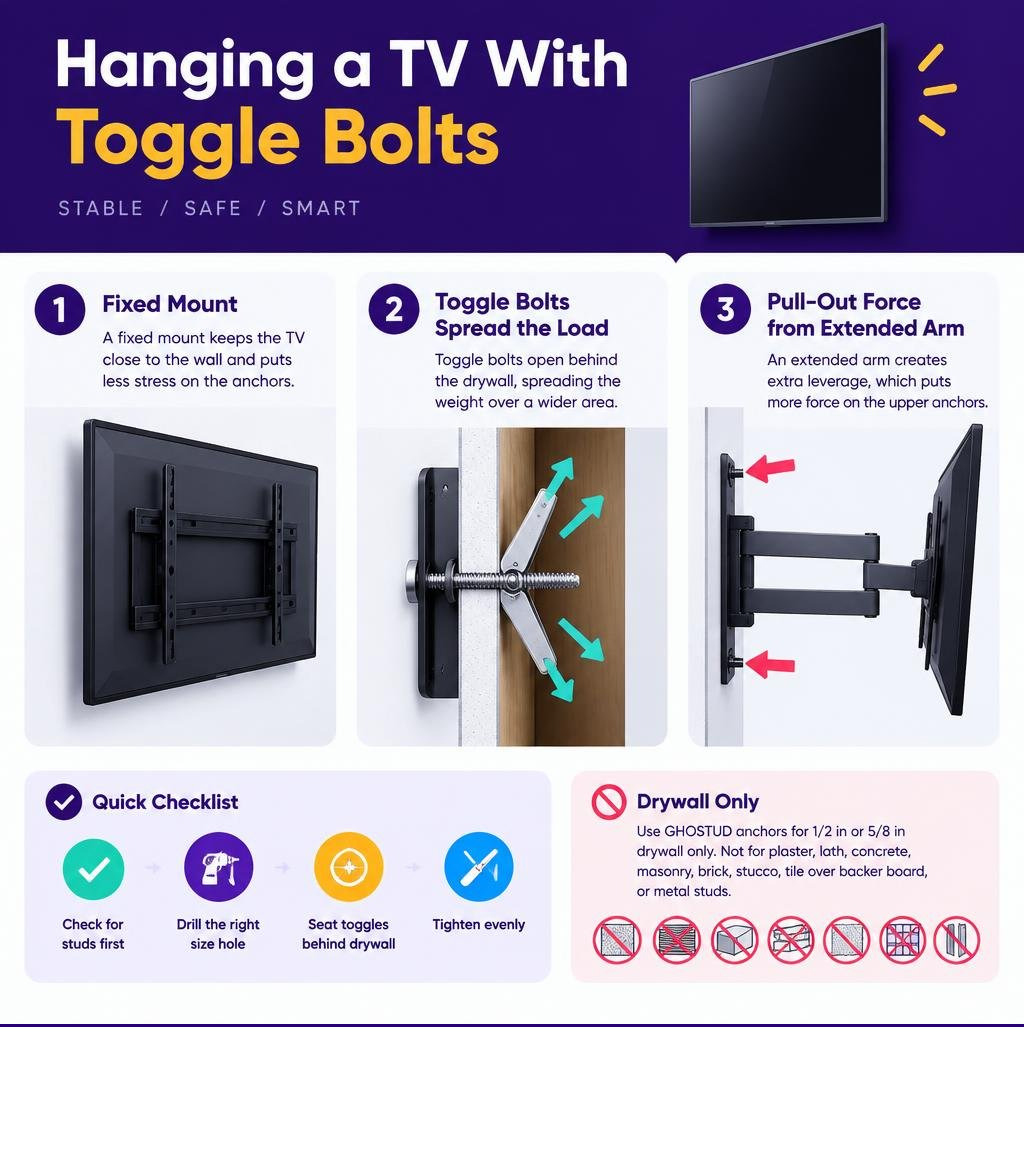
Understanding hardware differences ensures a secure installation. Before starting, review our recommendations for the best hollow wall anchors for mounting a TV and learn about selecting the right toggle bolt anchor for a TV mount.
Understanding Wall Physics: Static Load vs Cantilever Forces
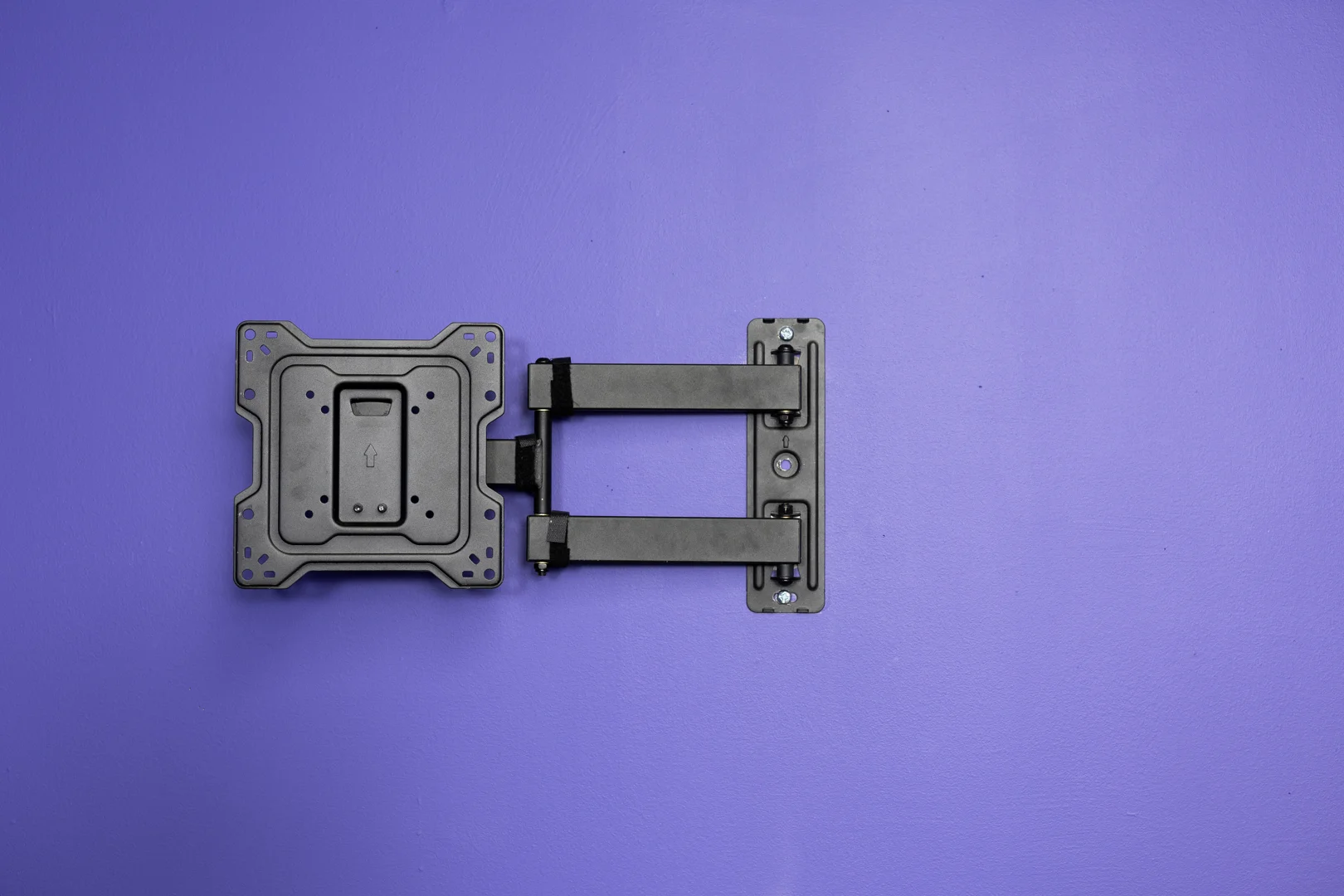
Mounting hardware faces two distinct mechanical loads: downward shear and horizontal tension (pull-out). When a TV sits flush against the wall on a fixed bracket, almost the entire burden is downward shear. Drywall handles shear reasonably well when the load spreads over a wide surface area.
Articulating arms introduce cantilever physics. Extending a TV outward turns the mount into a lever arm. A 50-pound TV pulled 14 inches away from the wall generates over 80 pounds of pulling force on the top mounting bolts. This dynamic leverage exerts continuous tension against the gypsum core. Standard drywall is soft. Under tension, the rear wings of a fastener pull forward, crushing the chalky core and ripping through the paper face. For deeper insights on how weight ratings function, read our guide on understanding shear ratings and drywall anchor strength.
| Fastener Type | Bolt Diameter | 1/2-Inch Drywall Shear (Static) | 5/8-Inch Drywall Shear (Static) | Safe TV Mount Type |
|---|---|---|---|---|
| Light Spring Toggle | 1/8 in | 30–40 lb | 40–50 lb | None (Hardware Only) |
| Medium Toggle Bolt | 3/16 in | 50–70 lb | 70–90 lb | Fixed / Low-Profile Only |
| Heavy-Duty Strap Toggle | 1/4 in | 80–100 lb | 110–130 lb | Fixed / Low-Profile Only |
Mounting something heavy where there’s no stud? GHOSTUD® spreads the load across the drywall with a wide backplate instead of relying on the gypsum core. GS1 holds up to 250 lb shear, GS2 up to 1,000 lb. Made in the USA from recycled structural plastic. Shop GHOSTUD® from $16.99 →
How Toggle Bolts Work Behind Drywall
A toggle bolt relies on mechanical clamping rather than thread friction. A standard spring-wing toggle uses two hinged metal wings driven by an internal spring. You fold the wings flat against the machine screw, push the assembly through a pre-drilled hole, and wait for the spring to pop the wings open inside the hollow wall cavity. As you tighten the bolt from the front, the wide wings pull flush against the hidden rear surface of the drywall.
Solid steel channel toggles (strap toggles) work similarly but use a solid metal bar guided into position by plastic straps. This design spreads the clamping force across a continuous metal surface behind the wallboard. Before purchasing hardware, review choosing the right TV drywall anchor to verify anchor styles.
Weight and Size Limits for Hanging a TV with Toggle Bolts
Drywall-only mounting with toggle bolts is strictly limited to small displays. Restrict installations without studs to screens up to 32 inches and weights under 30 pounds. Use only fixed or low-profile tilting brackets.
Never install a full-motion, articulating, or swivel mount into hollow drywall without stud backing. Even lightweight screens generate massive leverage when swung on an extended arm, causing sudden tear-out failures. Learn more by reading how to choose the correct toggle bolt size for a TV mount.
Step-by-Step Guide: Hanging a TV with Toggle Bolts
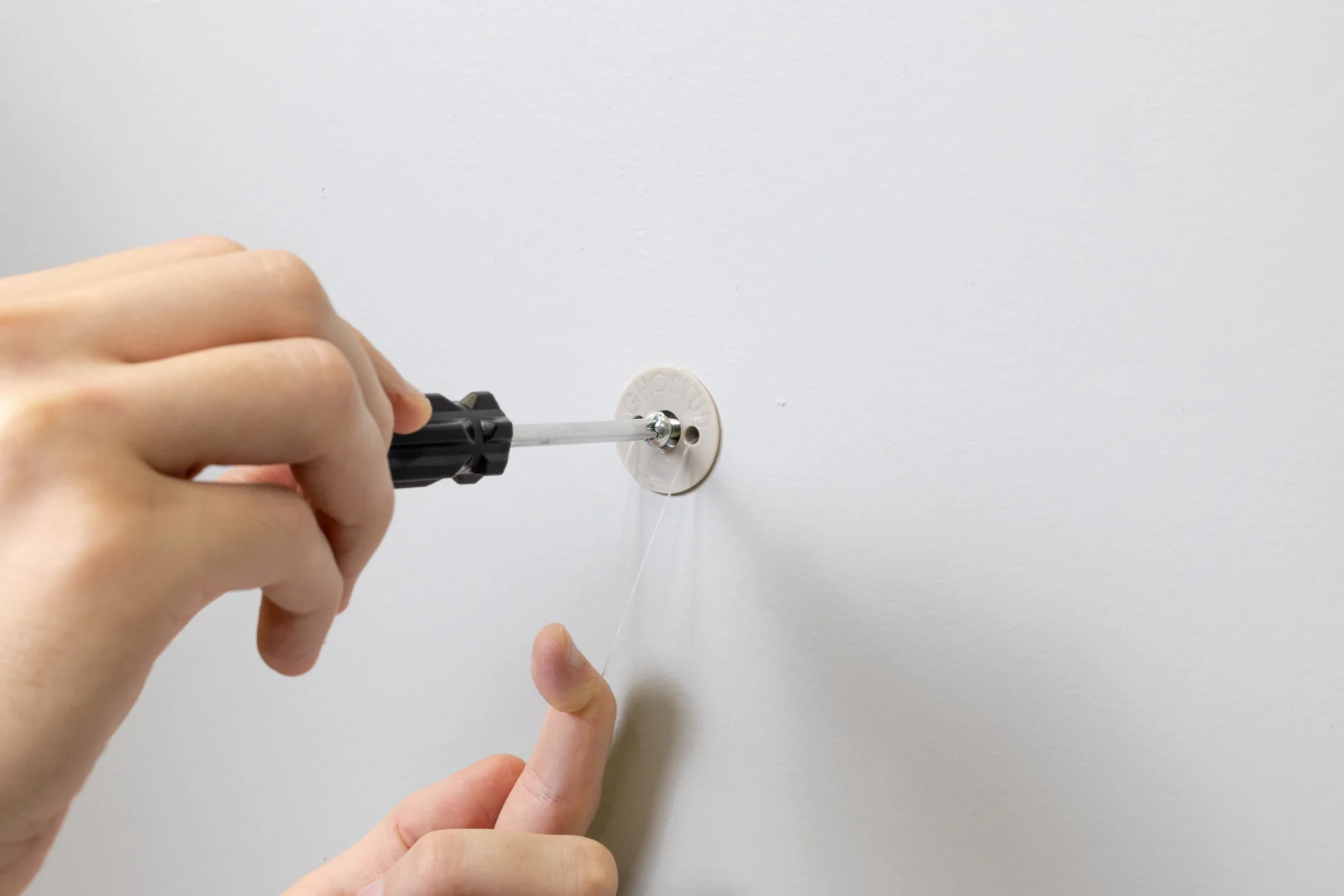
Hanging a television on hollow drywall requires exact hole placement and steady clamping force. Follow these numbered steps to mount your bracket securely using 1/4-inch strap-style toggle anchors. For alternative methods, consult our step-by-step instructions for hanging a TV without a stud.
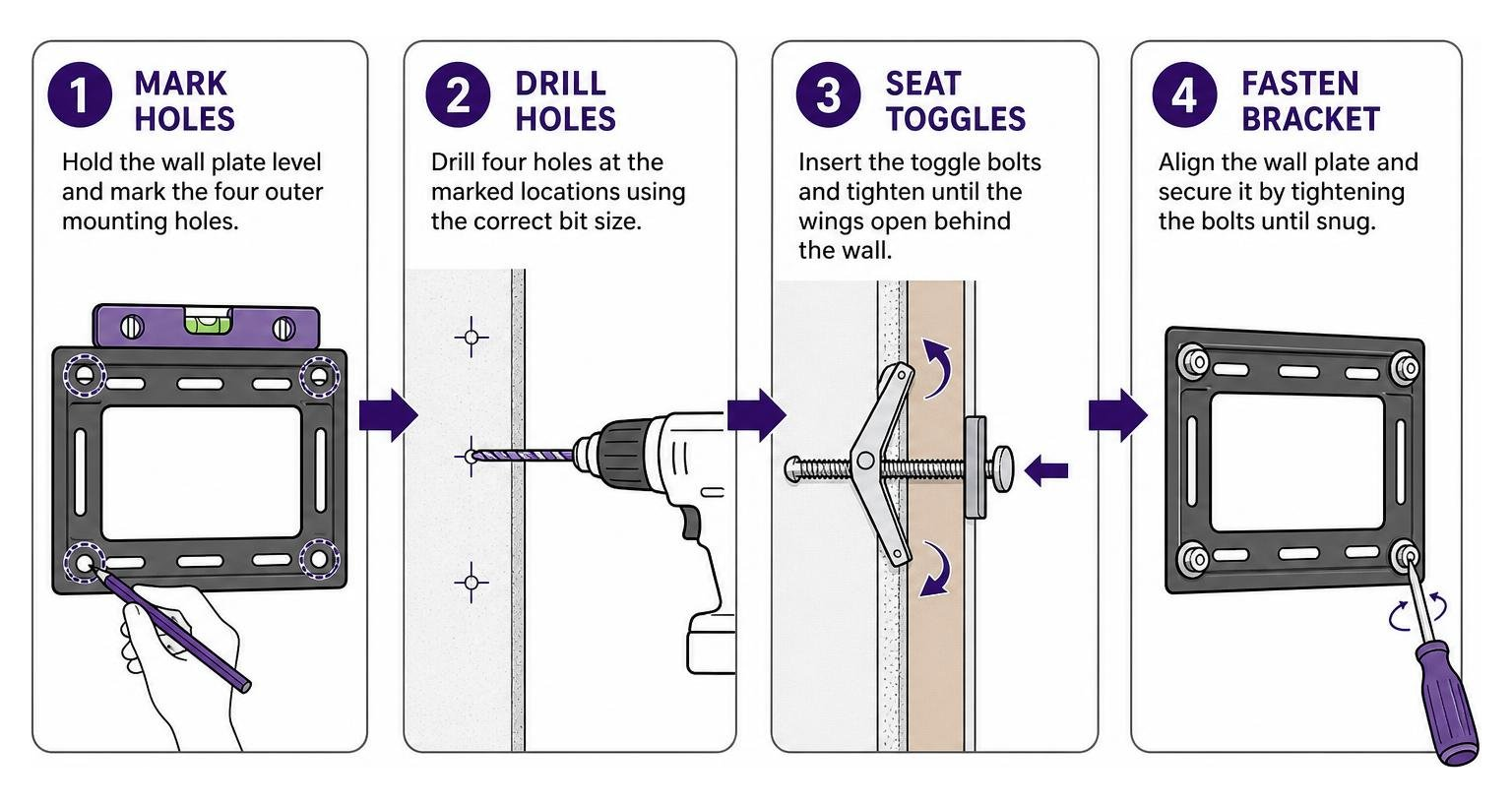
Preparing the Wall and Drilling Holes
- Run an electronic or magnetic stud finder over the target mounting area. If a standard 16-inch or 24-inch stud is present, skip drywall anchors and screw directly into the wood.
- Hold the TV wall plate against the wall at your preferred viewing height. Place a torpedo level on top of the plate.
- Mark the four outer mounting holes using a pencil. Keep the holes as far apart horizontally and vertically as the bracket allows to distribute the load across the wall surface.
- Chuck a 1/2-inch drill bit into your power drill (or the exact diameter specified on your toggle package).
- Drill the four marked holes slowly through the drywall. Maintain a 90-degree angle to the wall surface so the hole edges remain crisp.
Inserting Toggles and Securing the Bracket
- Hold the metal channel of a 1/4-inch strap toggle flat alongside the plastic guide legs.
- Push the channel completely through the 1/2-inch hole until it clears the rear of the drywall and flips horizontal.
- Pull the plastic pull-ring toward you firmly to seat the metal channel flush against the back of the drywall.
- Slide the plastic retainer cap down the straps until it sits tight against the front drywall surface.
- Snap off the excess plastic straps by bending them back and forth flush with the wall.
- Position the steel wall bracket over the holes.
- Thread a 1/4-inch machine bolt with a broad steel washer through each bracket slot and into the threaded metal channel.
- Drive each bolt with a hand screwdriver or socket wrench until snug. Do not use an impact driver. Tighten all four bolts evenly to distribute clamping pressure. For related mounting techniques, see the simplest method to install a TV mount without studs.
Choosing the Right Hardware: Traditional Toggles and Heavy-Duty Anchors
Selecting the right hardware depends on your wall structure and total load. Never use plastic expansion plugs for TV mounting; they possess negligible tensile strength and fail under slight outward force.
| Anchor Class | Core Mechanism | Drywall Specs | Typical Shear Capacity | Best Application |
|---|---|---|---|---|
| Spring Toggle Wing | Foldable steel wings | 1/2 in or 5/8 in | 50–80 lb | Lightweight wall panels |
| Solid Strap Toggle | Pivoting steel channel | 1/2 in or 5/8 in | 80–100 lb | TVs under 30 lb on fixed brackets |
| GHOSTUD GS2 | Load-distributed cylinder | 1/2 in or 5/8 in | Up to 1,000 lb shear | Heavy TVs, cabinets, shelving |
When static weight exceeds the safety margin of hollow toggle bolts, the GHOSTUD GS2 anchor provides heavy-duty anchoring. The GS2 installs with a 2-inch hole saw and is rated up to 1,000 lb shear in 1/2 in or 5/8 in drywall. It is built from 100% recycled material in the USA and sold in 2-packs and 20-packs. Note its trade-offs: it requires a 2-inch hole saw for installation, costs more per unit than commodity hardware, and creates a permanent anchor point. We make it for TVs, upper cabinets, heavy shelving, and mirrors where users cannot access wood studs.
If you are evaluating hollow wall anchors, examine how to select the right drywall anchor for your load and the cheapest ways to install a TV without studs. For a broader view of mounting options, see our related mounting articles.
Traditional Spring Toggles vs Solid Metal Channel Toggles
Traditional spring-wing toggle bolts have one major disadvantage: the screw cannot be removed once installed. Backing out the bolt causes the spring wing to fall behind the wall into the cavity, forcing you to drill a new hole.
Strap-style toggles hold the threaded metal channel securely against the rear drywall face with a locking plastic cap. You can remove the bolt, swap out brackets, and reinstall hardware into the same anchor. For comparisons of expansion fasteners, read our practical guide to molly bolt vs toggle bolt performance.
Strap toggles are also the industry standard for steel framing. Metal studs in modern condos feature thin steel walls that strip regular screws. High-grade 1/4-inch strap toggles drilled directly through steel studs offer a straight-pull rating of 265–300 lb per anchor. Four toggles through metal studs hold a TV up to 100 lb, and six toggles carry up to 150 lb.
Safety Limits, Edge Cases, and When Not to Rely on Drywall Alone
Drywall anchors have absolute structural limits. Never use drywall-only mounting in the following scenarios:
- Wood Studs Are Accessible: When wood framing is present, always drive 3/8-inch by 3-inch lag bolts directly into the center of the studs. For lag bolt techniques, review How to Mount a TV on Drywall With Lag Bolts (2026) and how to mount a large TV on drywall correctly.
- Screens Exceed 32 Inches or 30 Pounds: Heavy displays require framing support.
- Full-Motion / Articulating Arms: Cantilever loads pull anchors out of drywall.
- Plaster, Lath, Masonry, or Brick: GHOSTUD anchors and hollow toggles are not built for masonry or lath. Use Tapcon screws or masonry sleeve anchors for concrete, brick, and block.
- Grab Bars and Safety Rails: Never use hollow-wall anchors for grab bars, handrails, ADA hardware, or fall-prevention devices where human body weight is supported.
Common Mistakes to Avoid When Hanging a TV with Toggle Bolts
- Over-Tightening Bolts: Cranking a machine bolt with an impact driver crushes the gypsum core between the toggle wing and the bracket. Stop turning the moment the bolt is snug.
- Reusing Damaged Holes: Never insert a new toggle bolt into an old, stripped, or wallowed-out drywall hole. Move the bracket at least 2 inches away to drill into clean, intact drywall.
- Skipping Washers: Bracket slots are often wider than machine screw heads. Always use a broad steel flat washer under the bolt head to prevent it from pulling through the bracket.
- Unbalanced Bolt Tension: Tightening the top bolts fully before seating the bottom bolts angles the bracket, causing uneven pull-out stress on the top toggles.
Frequently Asked Questions About TV Toggle Bolt Mounting
Can toggle bolts safely hold a 65-inch TV on hollow drywall?
No. A typical 65-inch TV weighs 40 to 60 pounds. On hollow drywall alone without stud backing, toggle bolts cannot safely handle the rotational leverage and shear weight of a screen this size. The risk of wall failure and dropped electronics is high. Fasten the bracket into two wood studs or use steel-stud toggle anchoring.
What size drill bit is required for a 1/4-inch toggle bolt?
Standard 1/4-inch strap toggles require a 1/2-inch drill bit to pass the metal channel through the drywall. Standard 1/4-inch spring-wing toggles require a 5/8-inch or 3/4-inch hole to clear the folded wings. Always check the anchor packaging before drilling.
When should you hire a professional for TV installation?
Hire a professional installer if you must route high-voltage wiring inside the wall cavity, if your framing uses irregular stud spacing with metal framing, or if you plan to mount an oversized TV (75 inches or larger) on a multi-joint articulating arm without clear stud access.
Conclusion
Hanging a TV securely comes down to understanding wall mechanics and choosing the proper hardware for your specific wall material. Standard 1/4-inch toggle bolts provide a practical solution for lightweight TVs under 30 pounds on fixed brackets when no framing is present. For heavier static loads on plain 1/2 in or 5/8 in drywall, high-capacity mechanical anchors like the GHOSTUD GS2 provide up to 1,000 lb shear strength.
Inspect your wall layout now. Pick up a stud finder, mark the framing centers, and measure your TV weight before picking up a drill. For an exhaustive walkthrough of stud-free installations, explore our complete guide to mounting a TV without studs.
Mount it once, mount it right. Compare GS1 and GS2 →