
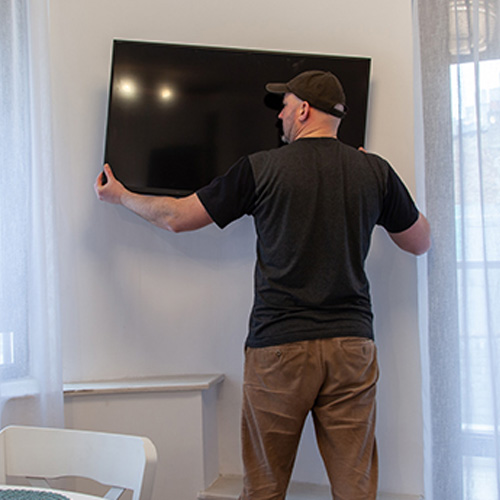
How to Mount a TV With Drywall Anchors Safely
Look for a usable stud first. If none is in the right place, use a fixed mount approved for studless drywall and anchors approved for the combined weight of the TV and mount. Check that the drywall is sound. Level and mark the wall plate, drill the holes specified by the anchor maker, install the anchors, and tighten the bracket without crushing the wall. Have a helper lift the TV, then engage the mount’s safety locks.
Do not rely on drywall anchors alone for a full-motion mount. Hollow-wall anchors are for 1/2 in or 5/8 in drywall only—not plaster, lath, concrete, masonry, brick, stucco, tile over backer board, or metal studs. Use a mounting solution made for those surfaces instead. For a broader walkthrough of studless installs, see our guide to mounting a TV without studs.
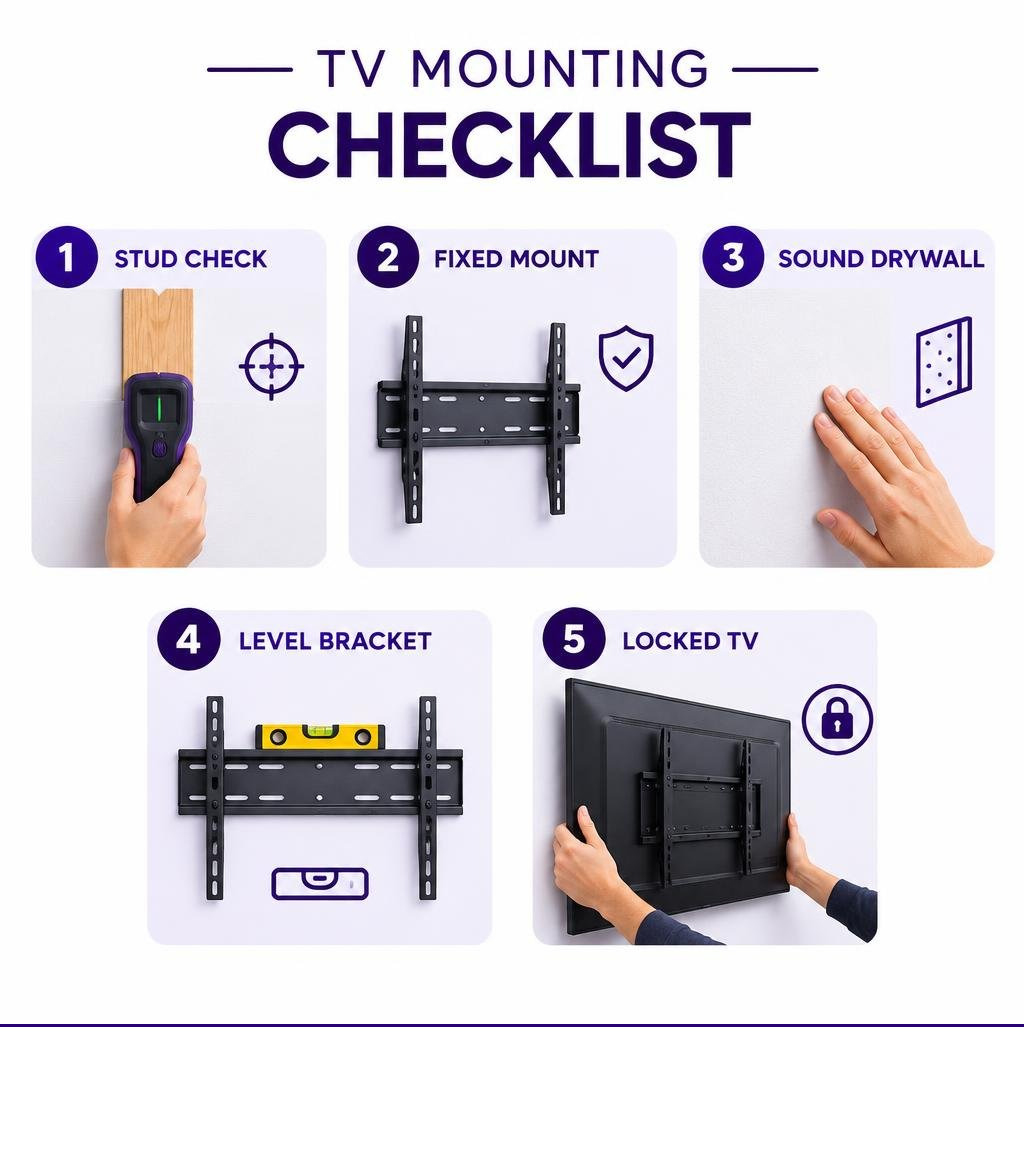
For related installation methods, explore our guides on choosing a toggle bolt anchor for a TV mount, finding the best drywall anchor for a TV, or hanging a TV on drywall without studs.
Understanding Drywall Mechanics and TV Mounting Forces
Standard drywall consists of a compressed gypsum chalk core wrapped between two sheets of heavy paper. Gypsum provides compressive strength but almost zero tensile or bending resistance. A single standard screw driven directly into drywall strips out under just 5 to 10 pounds of force.
When you hang a flat-screen display, the assembly creates two distinct physical forces on the wall:
- Shear force: The straight downward gravity load pulling parallel to the wall surface.
- Tensile (pull-out) force: The outward force pulling perpendicular to the wall face.
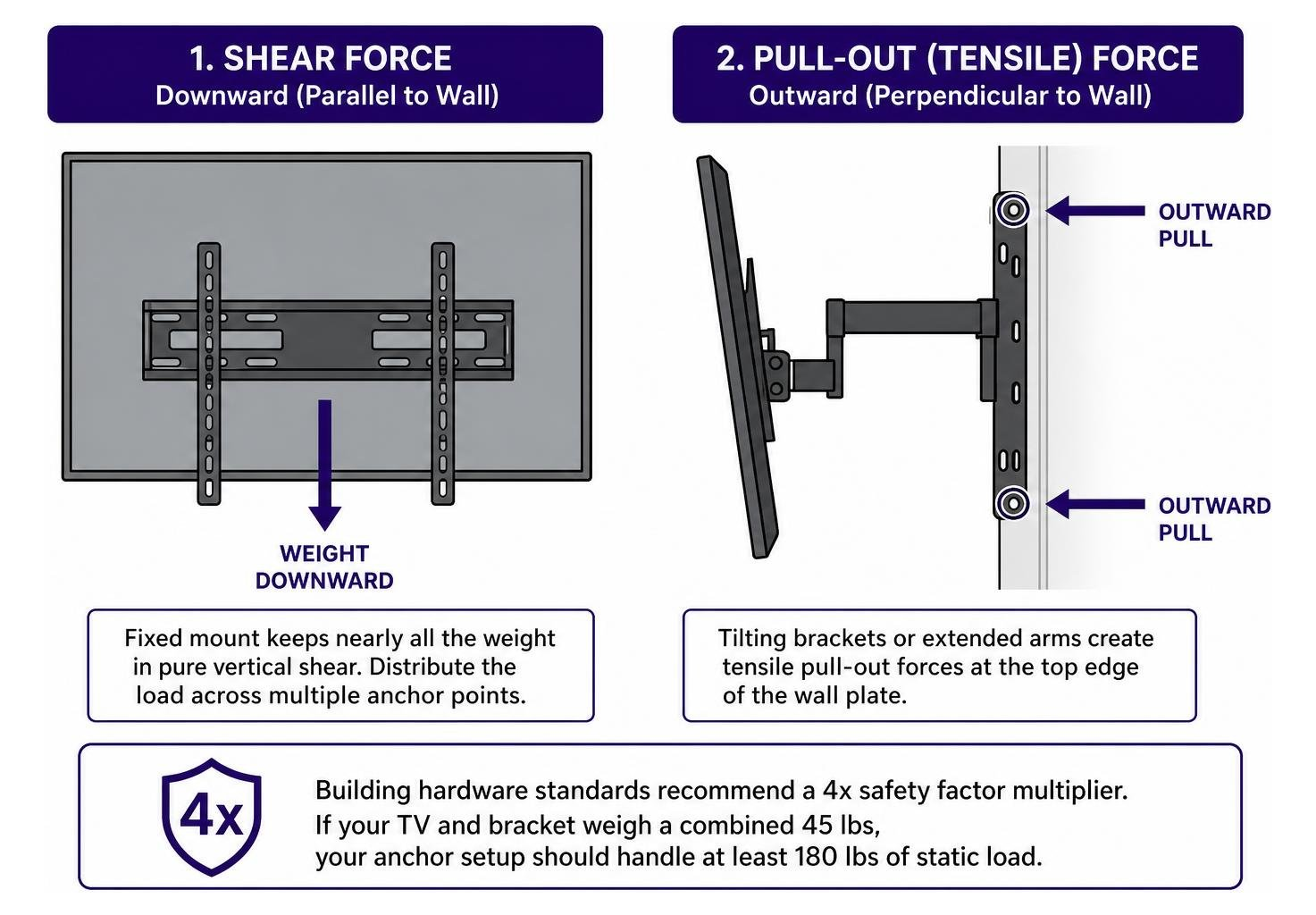
A flush, fixed bracket keeps nearly all the weight in pure vertical shear. The drywall carries this downward load reasonably well when you distribute the weight across multiple anchor points. However, tilting brackets or extended arms generate significant tensile pull-out forces at the top edge of the wall plate.
Building hardware standards recommend a 4x safety factor multiplier for wall-mounted assemblies. If your TV and bracket weigh a combined 45 lbs, your anchor setup should handle at least 180 lbs of static load. Read our guide to mount a large TV on drywall to see how surface area impacts load distribution.
Why Mount Type and Screen Size Dictate Anchor Selection
Every inch your screen sits away from the wall increases leverage.
- Fixed Low-Profile Mounts: Keep the TV within 1 to 2 inches of the drywall. The load stays almost entirely in shear. This is the only safe mount profile for studless drywall installations.
- Tilting Brackets: Introduce a slight outward angle (typically 5 to 15 degrees), which shifts the center of gravity forward and increases pull-out force on the upper anchors.
- Full-Motion / Articulating Arms: Create dynamic cantilever leverage. Extending a 50 lb display 14 inches out from the wall multiplies the rotational torque, generating over 80 lbs of immediate outward pull-out force on the top fasteners. Cyclic adjustments from pulling the screen outward crush the drywall’s gypsum core, wallowing out anchor holes until catastrophic failure occurs.
Always check your TV mount manufacturer’s manual for minimum hardware specifications and approved wall substrates before starting.
Locating Wall Studs and When You Cannot Use Them
Always anchor into wood studs whenever they align with your viewing layout. Standard residential construction places vertical 2×4 framing studs on 16-inch or 24-inch centers behind the drywall.
To locate framing:
- Place a multi-mode stud finder flat against the wall, at least 6 inches away from any expected stud.
- Calibrate the device and slide it slowly across the horizontal plane.
- Mark both the left and right edges where the sensor alerts. The true center lies halfway between your marks.
- Verify the center by gently pressing a fine nail or a 1/16-inch pilot bit through the drywall into the framing. Solid resistance indicates wood framing.
If a stud is accessible and centered where you want your screen, skip hollow-wall anchors entirely and drive 5/16-inch or 3/8-inch lag bolts directly into the wood center. Check our step-by-step instructions on using wall anchors if you encounter hollow cavities, off-center framing, or non-structural metal studs that cannot support heavy cantilever brackets.
Step-by-Step Guide: Mounting a TV with Drywall Anchors
Learning how to mount a TV with drywall anchors allows you to place your screen exactly where you want it when wall studs are missing or off-center. Follow these direct steps to complete the installation safely using appropriate hollow-wall fasteners.
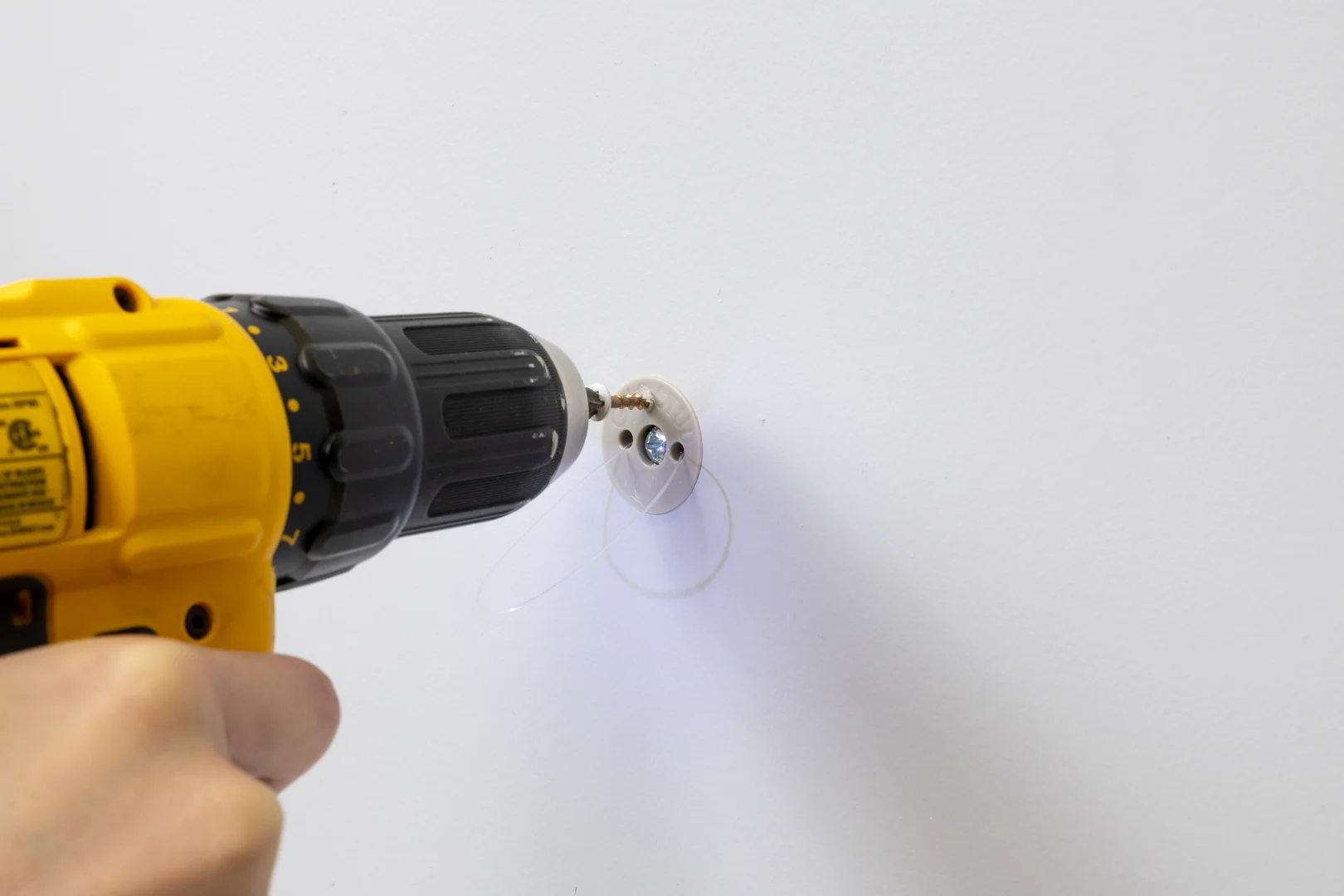
Required Tools and Materials:
- Tape measure and pencil
- 24-inch or 48-inch bubble level
- Power drill with appropriate pilot bits or hole saw
- Heavy-duty hollow wall anchors with matching machine bolts
- Socket wrench or hand screwdriver
- Painter’s tape
- A second adult helper
Step 1: Measuring Height and Planning Placement
- Sit on your sofa or primary viewing chair in your normal posture.
- Measure the height from the floor to your direct eye level (typically 40 to 42 inches).
- Mark this height on the wall. This mark represents the vertical center of your TV screen, not the bracket location.
- Measure the back of your television from the screen center to the top mounting holes on the VESA bracket.
- Transfer this offset to the wall to determine the exact centerline for the wall plate.
- Hold the wall bracket flat against the wall, place a bubble level across its top edge, and level the plate.
- Use a pencil to mark the exact hole locations through the bracket slots onto the drywall. Space upper anchors as far apart horizontally as the bracket allows to maximize load distribution.
Step 2: Drilling Pilot Holes and Preparing the Wall Cavity
- Double-check behind the wall for hazards. Look for light switches, electrical outlets, or plumbing fixtures directly above or below your target zone. Never drill directly in line with vertical utilities.
- Fit your drill with the exact bit or hole saw size specified by your anchor manufacturer.
- Hold the drill perpendicular (90 degrees) to the drywall surface.
- Drill through the wall face smoothly at medium speed. Do not force the tool through the paper backing.
- Probe the cavity behind the drywall using a clean zip-tie or blunt wire to verify there is sufficient depth (at least 1-7/8 to 2 inches of hollow clearance) for toggle mechanisms to swing open freely.
For simple hollow-wall setups, review this simple method to install a TV mount without studs.
Step 3: Installing Heavy-Duty Anchors and Securing the Wall Bracket
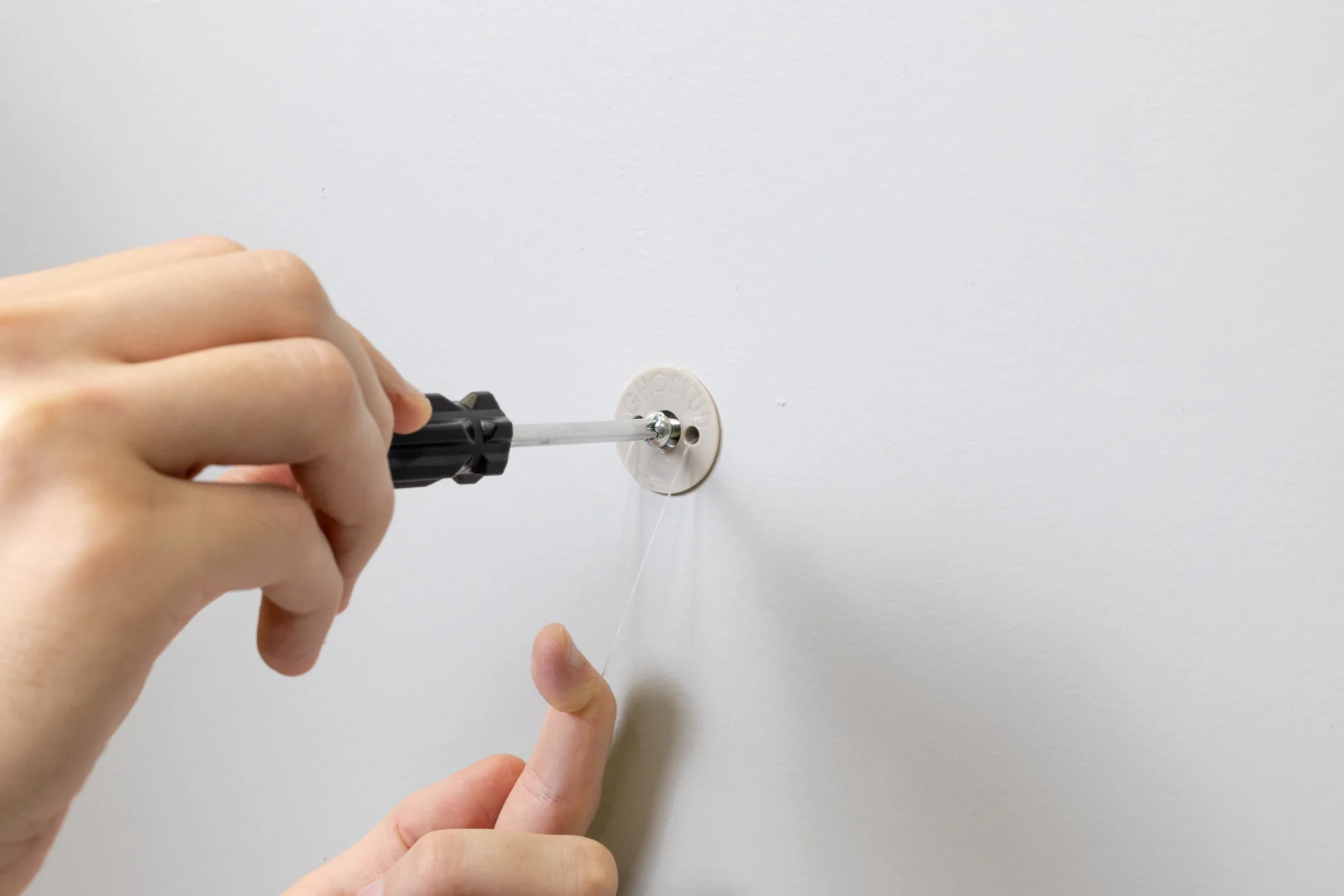
- Insert your heavy-duty hollow-wall anchors into the drilled openings until their outer flanges sit dead flush against the drywall surface.
- Seat the anchor mechanism behind the wall panel according to the manufacturer’s directions.
- Position the metal wall bracket over the anchor holes.
- Hand-thread the machine bolts with washers through the bracket slots directly into the anchor channels.
- Use a hand socket or manual screwdriver to snug the bolts down evenly.
- Do not use high-torque power drills to seat the final turns. Overtightening will crush the gypsum core between the anchor and the washer, permanently destroying the wall’s holding strength.
- Check the bracket with your level one last time, then pull downward on the bracket with moderate force to verify it does not flex or pull loose from the wall.
Step 4: Attaching VESA Brackets, Hanging the Display, and Managing Cables
- Lay the TV face down on a soft, clean blanket or moving pad.
- Align the two vertical mounting brackets with the threaded VESA holes on the back panel.
- Thread the correct machine screws (typically M4, M6, or M8) through the bracket into the TV chassis using plastic spacers if necessary. Tighten firmly with a hand screwdriver.
- With two people lifting by the sides of the frame (never by the display glass), lift the TV and hook the vertical brackets over the top rail of the secured wall plate.
- Swing the bottom of the TV gently toward the wall until the safety lock mechanism clicks into place, or tighten the bottom locking safety screws underneath the bracket using a long-shank screwdriver.
- Route signal and power cables through surface-mounted raceways or an approved in-wall power extension kit to keep wires organized.
Drywall Anchor Types for Mounting a TV: Load Capacities Compared
Select your hardware based on wall condition and the combined weight of your display and mount.
| Fastener Type | Drywall Thickness Required | Typical Hole Size | Maximum Safe Weight (TV + Mount) | Approved TV Mount Style |
|---|---|---|---|---|
| Plastic Expansion Plugs | 1/2 in or 5/8 in | 3/16 in to 5/16 in | Under 5 lbs | Not Recommended |
| Threaded Self-Drilling Zinc | 1/2 in or 5/8 in | Self-drilling (#8) | Under 15 lbs | Secondary components only |
| Hollow Wall Molly Bolts | 1/2 in or 5/8 in | 3/8 in to 1/2 in | Up to 35 lbs | Low-profile fixed mounts |
| Heavy-Duty Toggle Bolts | 1/2 in or 5/8 in | 1/2 in | Up to 55 lbs | Low-profile fixed mounts |
| GHOSTUD GS2 Anchor | 1/2 in or 5/8 in | 2-inch hole saw | Up to 1,000 lb shear | Heavy static displays / fixed mounts |
For a broader look at fasteners, browse our comprehensive overview of drywall anchor types.
Light-Duty and Self-Drilling Anchors
Plastic expansion plugs expand slightly inside the drywall as a screw is driven in. They provide 5 to 15 lbs of hold in pure shear. They rely strictly on friction against fragile gypsum and will pull out under lateral tension.
Self-drilling zinc or nylon anchors feature wide outer threads that bite directly into the sheetrock. While rated for 25 to 50 lbs on paper, they easily strip out if over-torqued. Never use plastic plugs or self-drilling anchors to support a television. They are designed for lightweight mirrors, small picture frames, and streaming devices.
Hollow Wall Molly Bolts and Traditional Toggle Bolts
Molly bolts use a slotted metal sleeve that expands outward behind the sheetrock when tightened, creating a broad metal clamp. They handle static loads up to 35 lbs safely.
Traditional spring-wing toggle bolts use two spring-loaded metal wings on a machine screw. Once pushed through a 1/2-inch drilled hole, the wings snap open against the back of the drywall. Learn more about choosing the right hollow wall anchors for TV installation to match toggle bolt diameters to your bracket openings.
Trade-offs: Traditional toggles drop their wings into the wall cavity if you remove the bolt, and the narrow metal wings concentrate pressure over a tiny surface area on the back of the sheetrock.
Heavy-Duty Solid Backing Solutions: High-Capacity Load-Distributing Mounts
When studs are unavailable and you are mounting large flat screens or heavy static loads, standard hardware often falls short of the necessary 4x safety factor.
We manufacture the patented GHOSTUD GS2 anchor to solve this hollow-wall limitation.
- Specifications: Requires a standard 2-inch hole saw for installation.
- Capacity: Rated up to 1,000 lb shear in 1/2 in or 5/8 in drywall.
- Material: Made from 100% recycled material in the USA.
- Applications: Built specifically for televisions, heavy mirrors, upper cabinetry, and shelving on sound drywall.
Unlike narrow toggles that pinch tiny points of the gypsum paper, our system distributes the load broadly across the interior wall face. Learn more about our structural hardware solutions at GHOSTUD.
Important Limitations: When Not to Mount a TV with Drywall Anchors
Safety is critical when mounting hardware overhead. According to data from the U.S. Consumer Product Safety Commission, thousands of emergency room injuries occur each year due to falling furniture and improperly anchored televisions, with young children being the most vulnerable.
Do not use drywall anchors under these conditions:
- Full-Motion / Dynamic Cantilever Arms: Never hang an articulating arm on drywall anchors without stud attachment. Dynamic rotational torque will inevitably loosen hollow fasteners over time.
- Damaged or Soft Drywall: If the wall shows water staining, bubbling paint, hairline fractures, or soft, crumbly gypsum cores, it cannot hold a load.
- Ceiling Mounts: Drywall has almost zero direct tensile pull-down strength. Never hang screens from ceiling drywall without bolting into joists.
Non-Drywall Substrates Requiring Specialized Hardware
GHOSTUD anchors are designed exclusively for 1/2 in or 5/8 in drywall only. They are not suitable for:
- Plaster and lath
- Solid concrete, poured walls, or masonry
- Brick and stone
- Stucco
- Tile over cement backer board
- Structural metal studs
If your home features solid masonry or plaster walls, use specialized masonry sleeve anchors, Tapcons, or toggle systems engineered specifically for those substrates.
Alternatives When Anchors Are Unsuitable
If your wall cavity is obstructed, your drywall is compromised, or you insist on using a full-motion articulating arm where studs do not align:
- Install a Plywood Backer Board: Cut a piece of 3/4-inch furniture-grade plywood wide enough to span across two adjacent 16-inch studs. Fasten the plywood to the studs with four 3-inch lag screws, then bolt your articulating TV mount directly to the center of the plywood plate.
- Use Structural Wall Cross-Bracing: Open a section of drywall, install 2×4 solid horizontal blocking between the studs, patch the sheetrock, and mount directly into solid wood.
- Use a Floor-to-Ceiling Column or Base Stand: If drilling is restricted or framing is inaccessible, opt for a media console or a freestanding tension-column mount.
Frequently Asked Questions About Mounting a TV with Drywall Anchors
Can I use an articulating or full-motion mount with drywall anchors?
No. Full-motion mounts extend the screen away from the wall surface, turning static weight into dynamic rotational leverage. This multiplying cantilever force will eventually crush the internal gypsum core of the drywall, causing the top fasteners to pull out. Full-motion brackets must always be anchored directly into wood framing studs.
What is the maximum TV weight that can be safely mounted on drywall without studs?
On sound 1/2-inch or 5/8-inch drywall using a low-profile fixed mount, standard toggle bolts can safely support small-to-medium displays up to 55 lbs, provided a 4x safety factor is maintained. For heavy displays up to 100 lbs or more on fixed mounts, use high-capacity solid backing fasteners like the GHOSTUD GS2 (rated up to 1,000 lb shear in 1/2 in or 5/8 in drywall).
What should I do if an anchor hole strips or the drywall cracks during installation?
Do not attempt to reuse a stripped hole or force a larger screw into crushed drywall. Remove the bracket, patch the stripped opening with structural setting-type joint compound, and shift your entire TV wall bracket vertically or horizontally by at least 2 to 3 inches to drill fresh holes into solid, undamaged sheetrock.
How do I mount a TV with drywall anchors when the studs are in the wrong place?
Use a fixed low-profile mount and heavy-duty hollow-wall anchors rated for the combined weight of the TV and bracket. Mark the wall plate level, drill the anchor maker’s specified hole size, seat the anchors flush, and tighten the bracket by hand without crushing the gypsum core. Keep the display within 1 to 2 inches of the wall so the load stays in shear rather than pulling outward.
Conclusion
Mounting a TV without accessible studs is straightforward when you respect wall mechanics. Keep the display profile flat against the wall, choose fasteners rated well beyond the static weight of your screen, and never overtighten hardware against fragile gypsum.
Take a look at your wall now: grab your stud finder, confirm your framing layout, and check your drywall condition before drilling. For deeper advice on studless installations, browse our complete guide to mounting a TV without studs.